 Areas
AreasWindows 10/11 · Lightweight native app · 14-day free trial
See Zones in action
Create zones, store your files, launch your apps — the video demo.
Everything for a clean office, at a glance
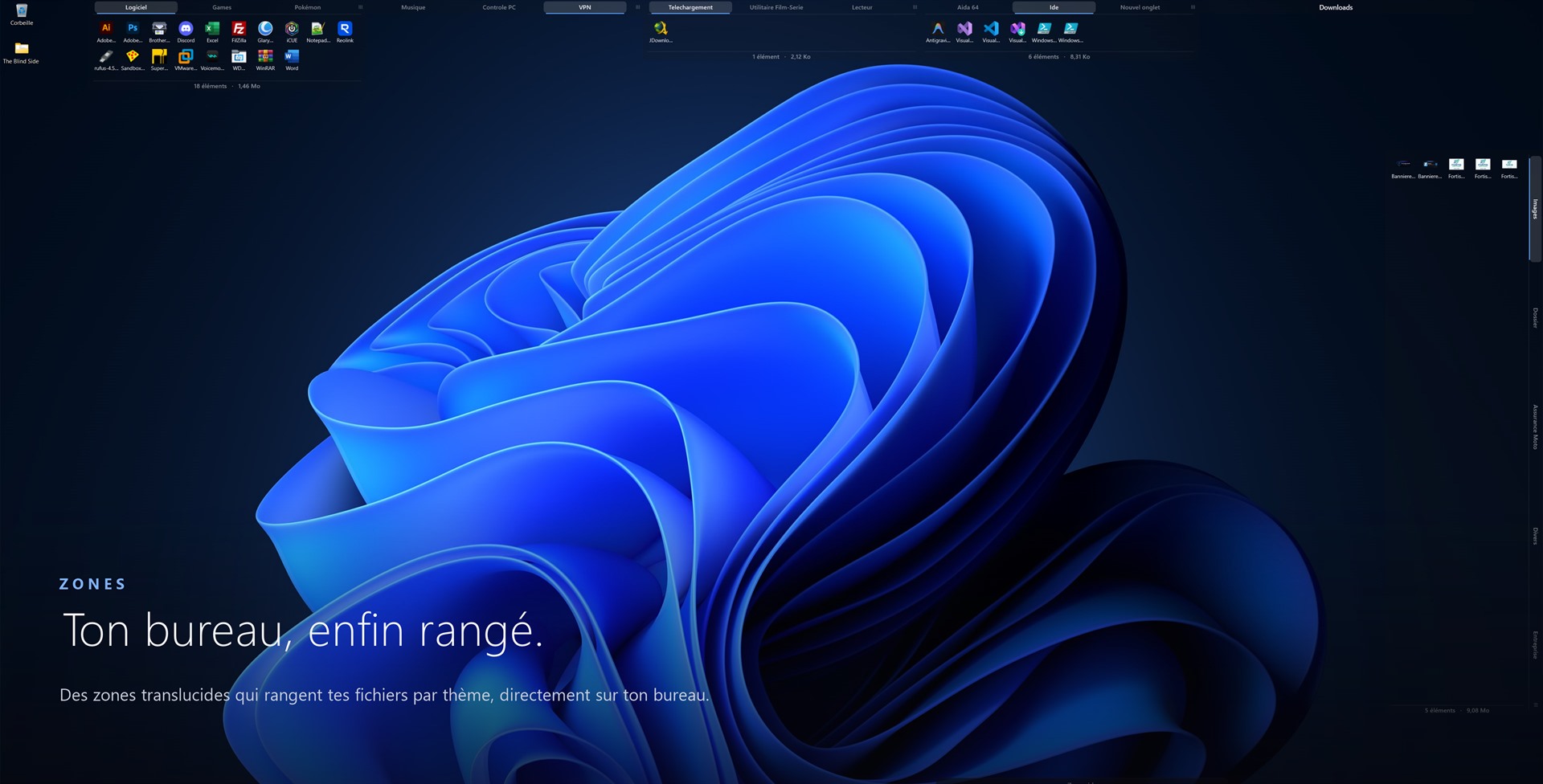
Living containers placed on your screen background, manipulatable like in Explorer.
Zones = real files
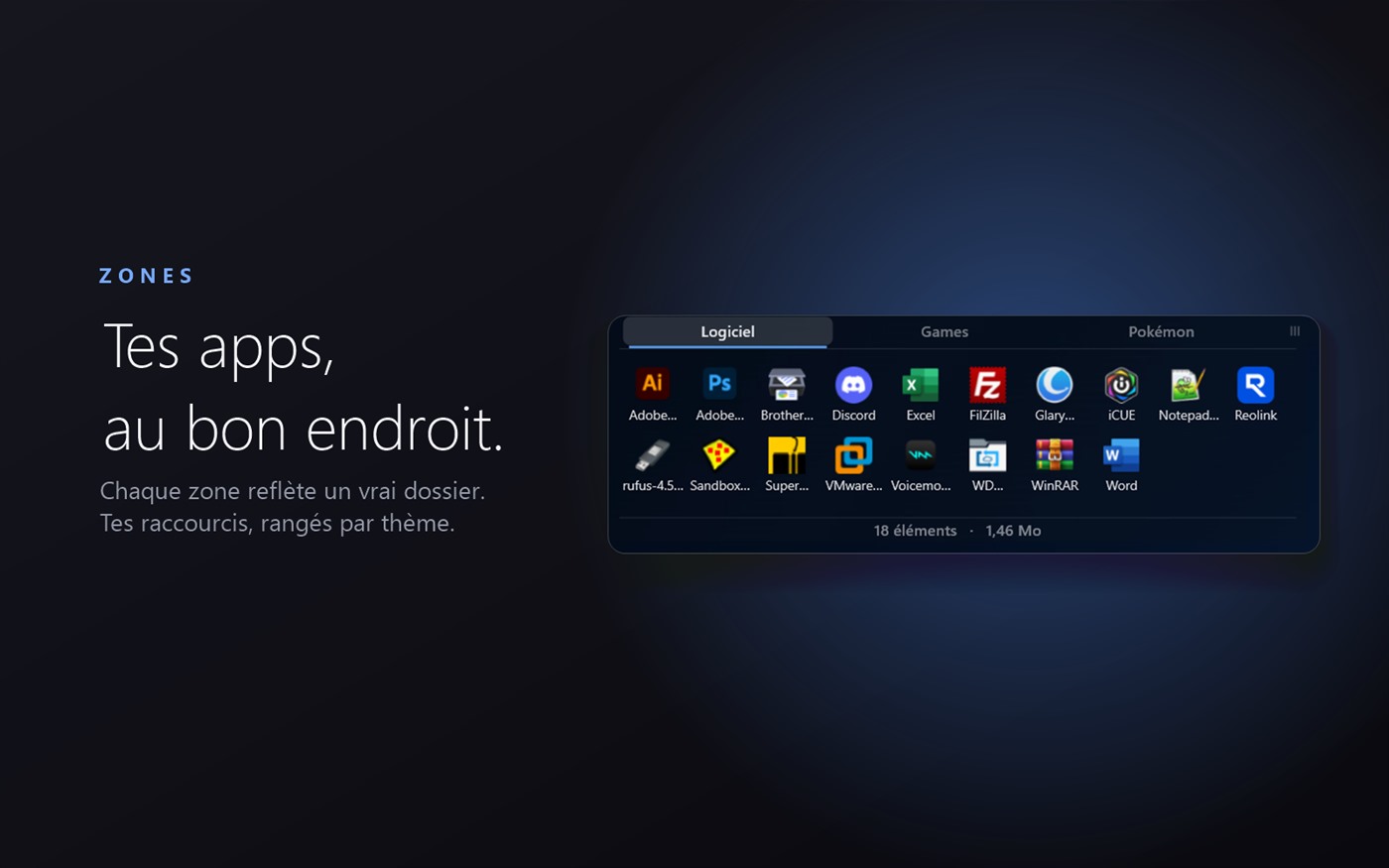
Each area displays the contents of an actual folder, in tabs. Move, resize, collapse, merge.
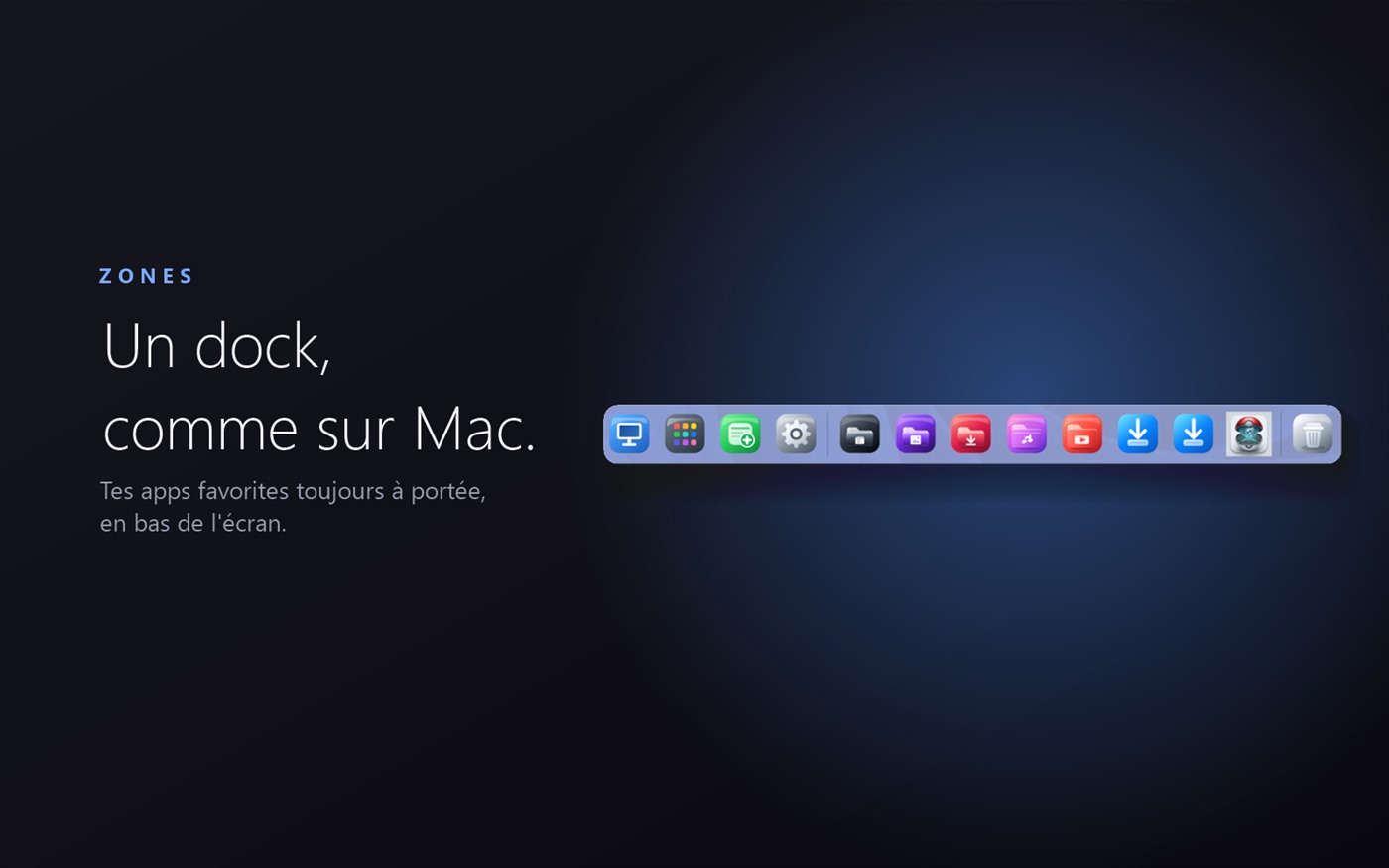
macOS-style dock
An elegant launch bar: pin your apps, reorder them, access the Trash and Launchpad.
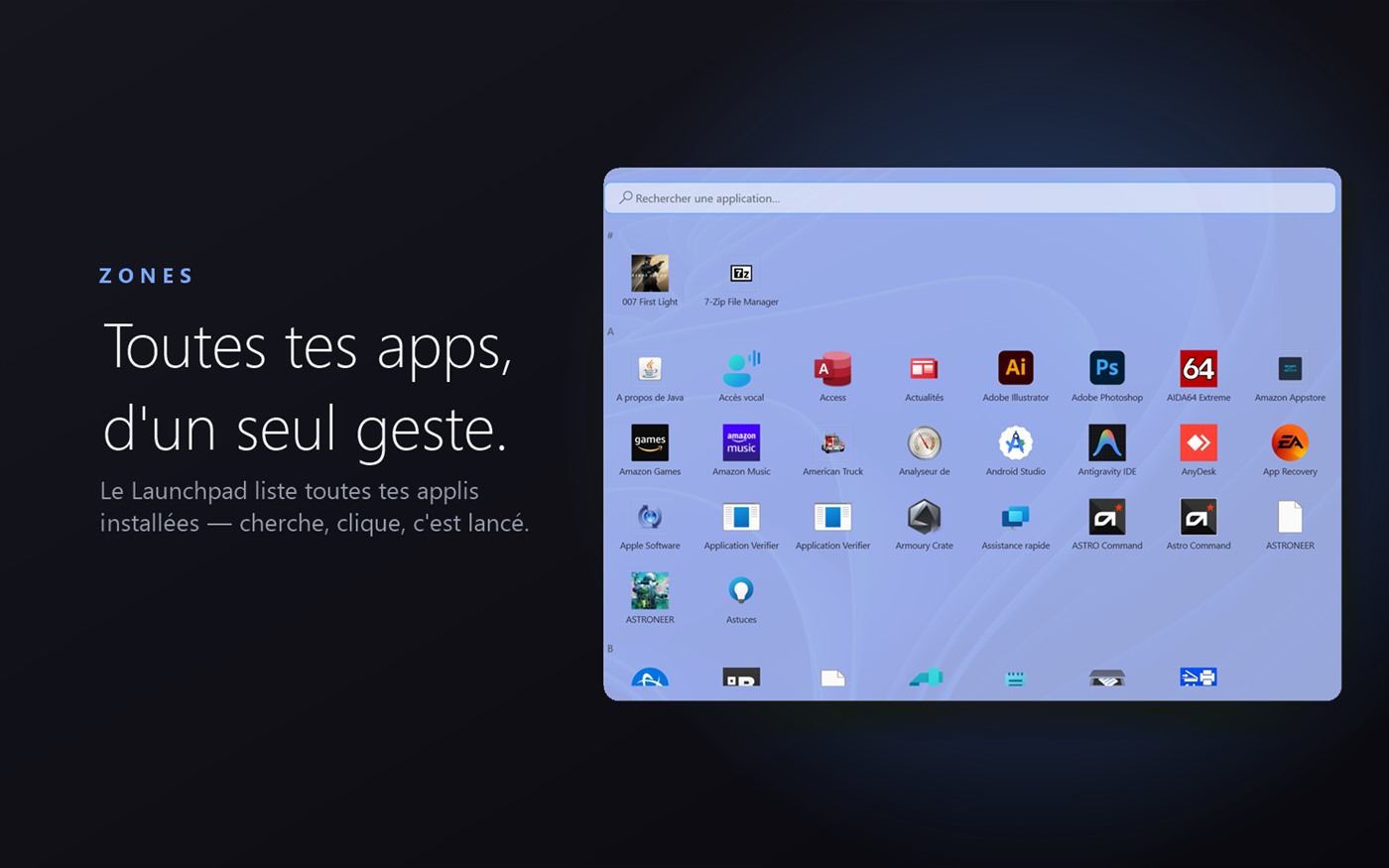
Launchpad
All your installed apps in a full-screen grid, searchable and launchable in one click.
Magnetization & pages
Align your areas to the grid, organize several pages (workspaces) according to your uses.
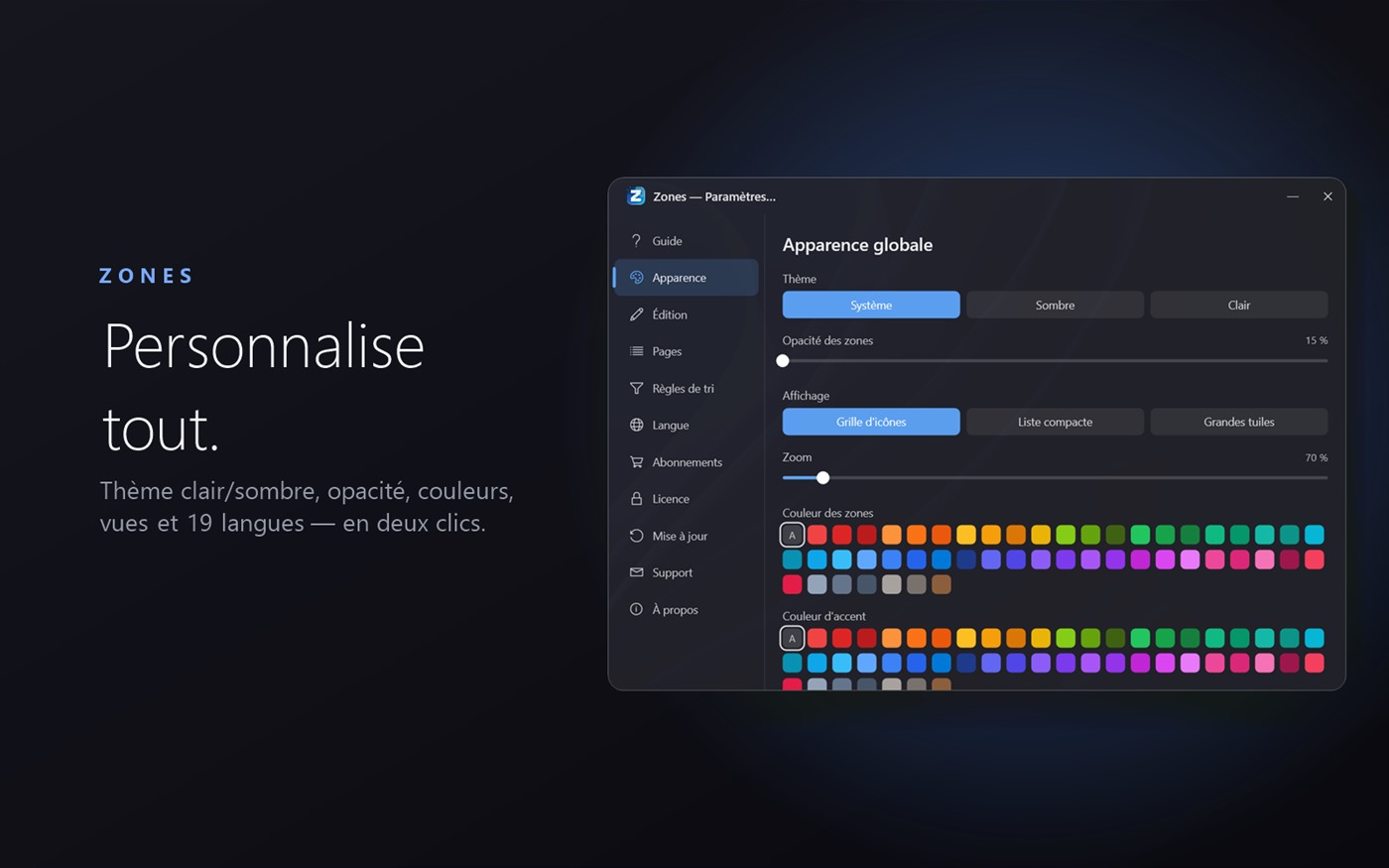
Theme & icons
Light or dark, accent color, custom icons per app. In your image.
Undo/Redo & Snapshots
Go back without fear, save snapshots of your organization.
Zones, in real life
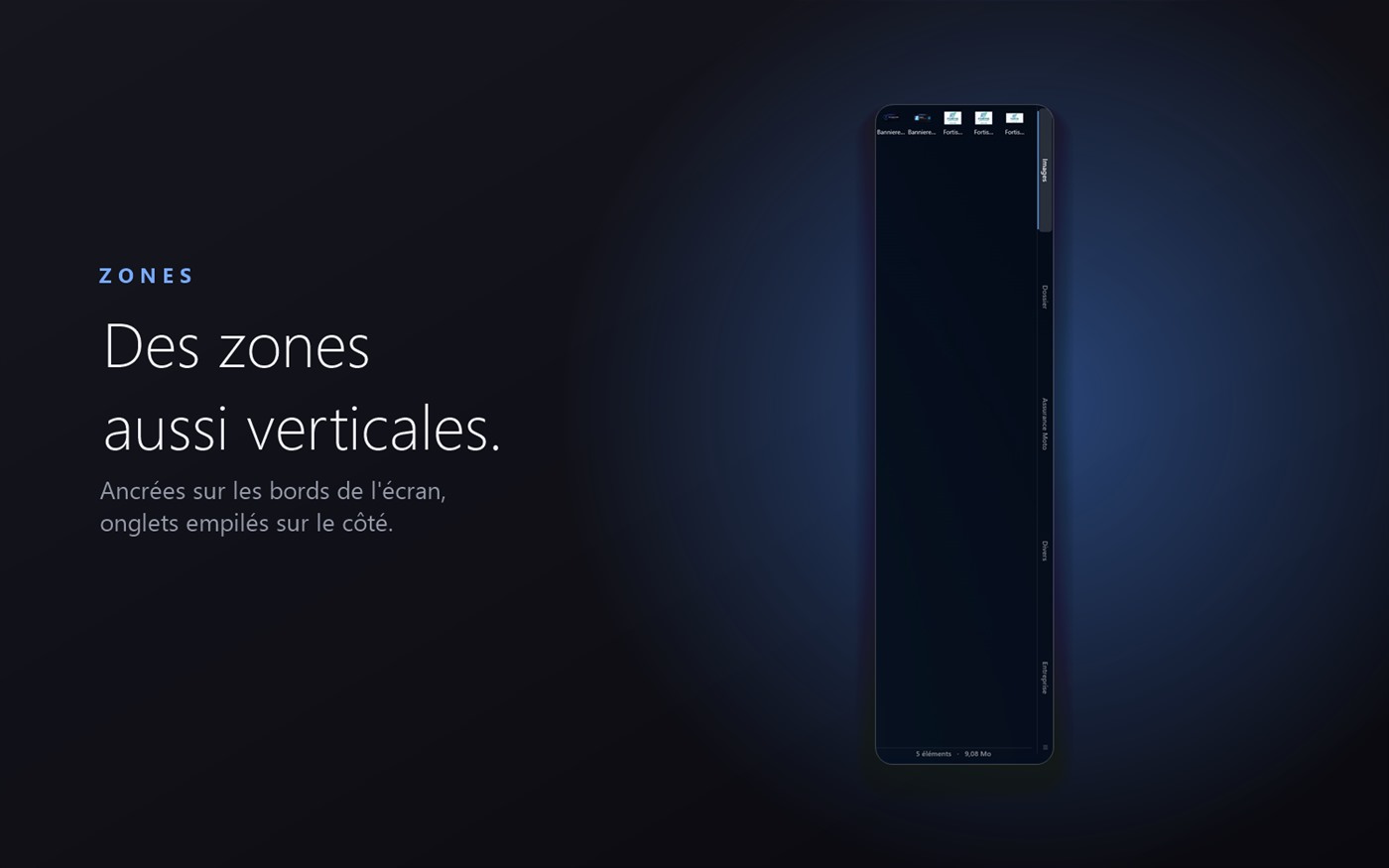
Actual screenshots of the application — not mockups.
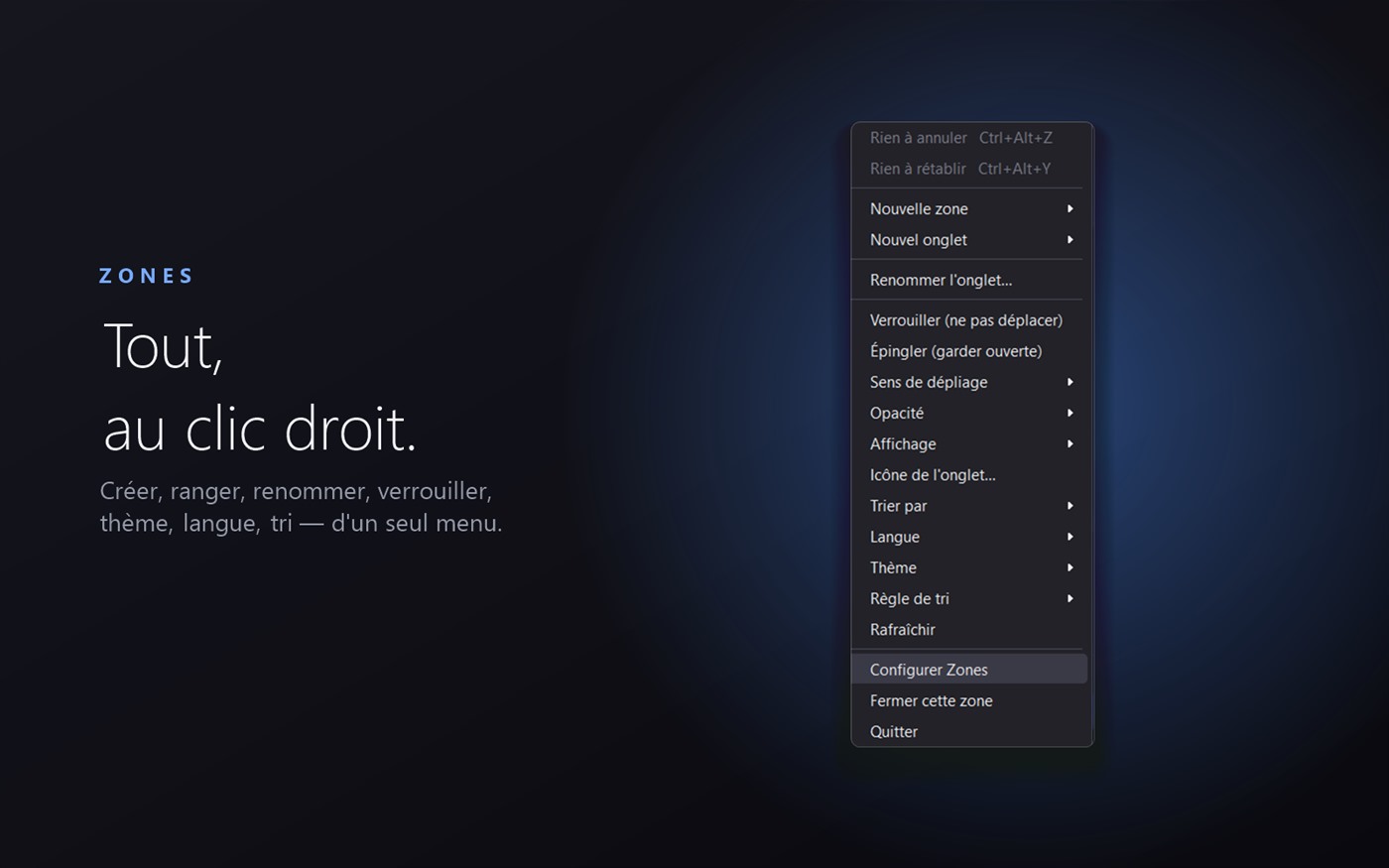
Ready in a minute
Installed
Lightweight download, installation per user, without administrator rights.
Create your zones
A starter pack awaits you. Drag your files, add tabs, sort by theme.
Enjoy
Your desktop remains clear. Right-clicking Windows even offers “Send to a zone”.
Choose your formula
Try 14 days for free, without a card. Annual subscription (all included) or single payment (you keep this version).
Solo
For 1 PC
i.e. €8.33 excluding tax
- 1 computer
- All features
- Updates for 1 year
- 19 languages · Email support
Family
For 5 PCs
i.e. €16.66 excluding tax
- Up to 5 computers
- All features
- Updates for 1 year
- 19 languages · Email support
Tribe
For 10 PCs
i.e. €29.99 excluding VAT
- Up to 10 computers
- All features
- Updates for 1 year
- 19 languages · Email support
Solo
For 1 PC
single payment · €24.99 excluding VAT
- 1 computer
- Final license for this version
- Without subscription
- 19 languages · Email support
Family
For 5 PCs
single payment · €41.66 excluding tax
- Up to 5 computers
- Final license for this version
- Without subscription
- 19 languages · Email support
Tribe
For 10 PCs
single payment · €58.33 excluding tax
- Up to 10 computers
- Final license for this version
- Without subscription
- 19 languages · Email support
Secure payment via Stripe. The subscription can be canceled at any time; one-time payment covers one major release (a future major upgrade may be chargeable).
Configure your order
Annual subscription: choose the number of positions, the total is calculated directly. Request a quote in one click.
Your order
Everything is deployed with a single key, without intervention from your employee.
1 Year of Priority SupportTo be renewed every year.
Order details
Free 14-day trial, no credit card required. Secure payment.
One key
A key activates the entire fleet, without the employee having to enter anything.
- Automatic park activation
- White label (name + logo)
- Imposed policies (kiosk, lockouts)
- Administration console + online quote
- Silent installer · network configuration (UNC)
- Priority support · 19 languages
- Volume discounts
Invite your friends, save timeVersion 1.0.2
Every time a loved one switches to Zones thanks to you, you both benefit: they benefit from a discount, and you receive free usage time. No complicated reductions, no money to manage — just months more.
You, the godfather
For each friend who purchases Zones with your link, you receive 1 month (30 days) more access. Subscriber: your subscription is extended accordingly. On trial: your access is postponed. And the months add up, without limit.
Your friend, the godson
By arriving via your link, your friend benefits from a 20% discount on the offer of their choice — annual subscription or single payment. The discount applies automatically to your order.
Get your link
In Zones: Settings → Sponsorship. Register your email, then copy your personal referral link.
Share it
Send your link to your friends, family, colleagues. When clicked, the discount is automatically added to their order.
Save time
Once your friend's purchase is confirmed, your free time is automatically credited to your account. You follow everything from the app.
When is my reward actually credited?
The reward is confirmed 30 days after your friend's purchase — until the sale is final (refund period). During this period, it appears “in validation” in the application, then the time is added automatically.
Can I offer my months to someone else?
Yes. From Zones → Settings → Sponsorship, you can “gift to a friend”: indicate the person's email, and your time saved is added to their account instead of yours.
I have a one-time payment (unlimited access) — how does it work?
Your access is already unlimited for this version, you cannot “extend” your own time. Your earned months are then used to offer them to the people of your choice.
Where can I find my link and follow my referrals?
Everything is in the application: Zones → Settings → Sponsorship. You see your link, the number of friends sponsored, the months earned and the months “in validation”.
Am I making money?
No. Sponsorship rewards only in free usage time — never in money or transfer. It's simpler, and without any paperwork for you.
Not Zones yet? Download it for free, then find your referral link in Settings → Sponsorship.
Try Zones for free
14 day trial, full features. No card required to test.
Windows 10/11 (64 bits) · ~3 MB · without administrator rights
Frequently asked questions
What exactly is Zones?
A native desktop organizer for Windows: it places containers (“zones”) on your Desktop, each reflecting a real folder. You organize files, shortcuts and applications by theme, without cluttering the Desktop.
Does it work offline?
Yes. Daily use is 100% local. Only license activation (one time), updates and support use the Internet.
Subscription or single payment: what’s the difference?
Annual subscription includes all features and updates while active; it can be canceled at any time (valid until the end of the current period). The single payment is a one-time purchase: you permanently keep the major version purchased, without a subscription (a future major upgrade may be subject to payment).
How many computers can I use it on?
Depending on the offer: 1 (Solo), 5 (Family) or 10 (Tribe) positions. You can free up one position to activate another.
Are my files safe?
Zones only moves/displays your existing files, without modifying their content. Everything stays on your disk, in real folders in your user profile. No ads, no tracking.
Is there a free trial?
Yes, 14 days with full functionality, no credit card required.
Windows displays a warning during installation?
The installer is recent and may display an “unknown publisher” SmartScreen message. This is normal for a new independent editor: click “Additional information” then “Run anyway”.